Skip to content Skip to footer

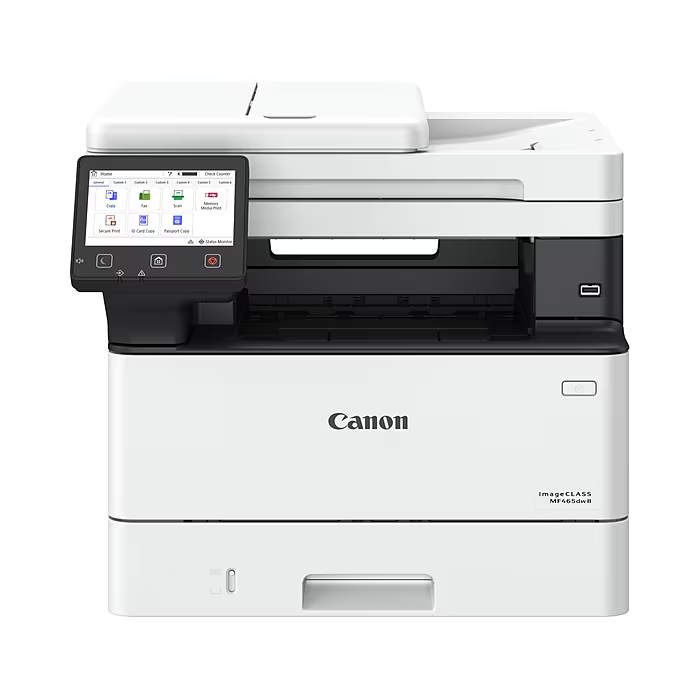
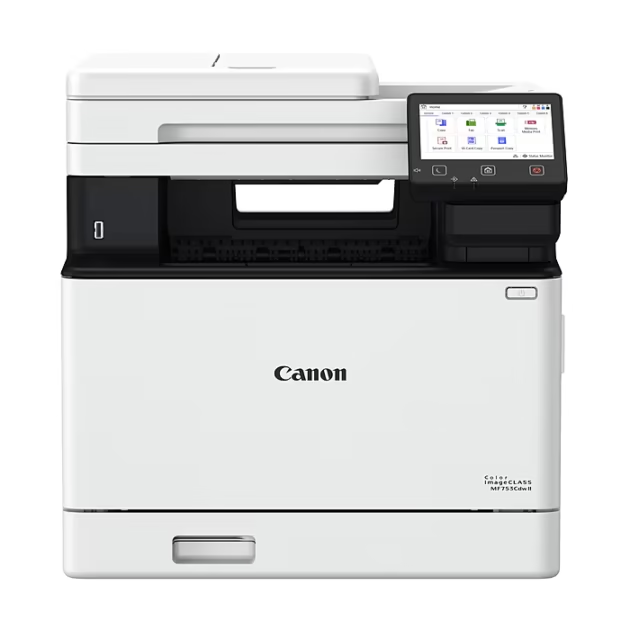
Canon imageCLASS MF465dw II Wireless Black & White All-In-One Laser Printer, Best for Office (7188C006)

$324.99

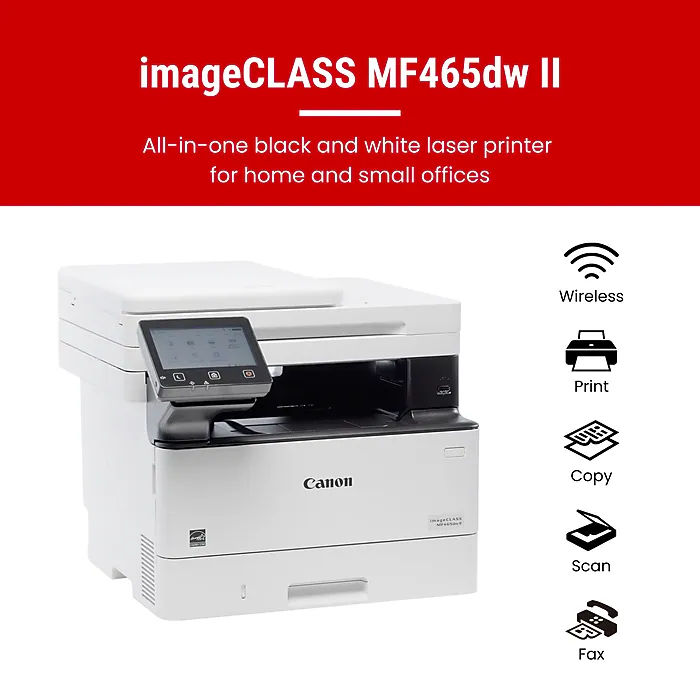
  • Monochrome, Wireless, Duplex 4-in-1: Print, scan, copy, fax.
  • Fast Print Speeds: Print up to 42 pages per minute and spend less time waiting with a quick first print time of approximately 5 seconds.
  • Easy Wireless Setup: Setup your wireless connection and get up and running in just a few steps.
  • 5-inch Color Touchscreen: Get the job done quickly with Application Library – an intuitive and easy to use customizable access to the features you use most.
  • Mobile Device Printing: Print on-the-go using your compatible mobile devices with the free Canon PRINT app, Apple AirPrint® and Mopria Print Service®.
  • High-capacity Toner: Uses Canon Genuine Toner 070 / 070 high-capacity, for high-quality output you can be proud of and high page yields that keeps up with your printing needs and help limit toner replacements.
  • Generous, Expandable Paper Capacity: 250-sheet standard cassette, 100-sheet multipurpose tray, and expandable paper capacity using optional paper cassette AH-1 (550 sheets).
  • Automatic Document Feeder (ADF): 50-sheet duplex (one pass, 2-sided) automatic document feeder, which helps save time and keeps your documents in order.
  • Auto 2-sided Printing: Save paper and limit paper replacements with automatic 2-sided printing.
  • ENERGY STAR®, EPEAT Silver.
  • 3 Year Limited Warranty: Have peace of mind with a 3-Year limited warranty.

🔒 Guaranteed Safe & Secure Checkout


Need Help? Call Us +1 (888) 322-5251
Monday - Friday 9:00 AM – 18:00 PM
SKU: # 24654737 Category: Tag: Brand: Product ID: 75672

Description

*key specs
Printer Condition

New
Supertank

Standard
Types of Display

Color LCD
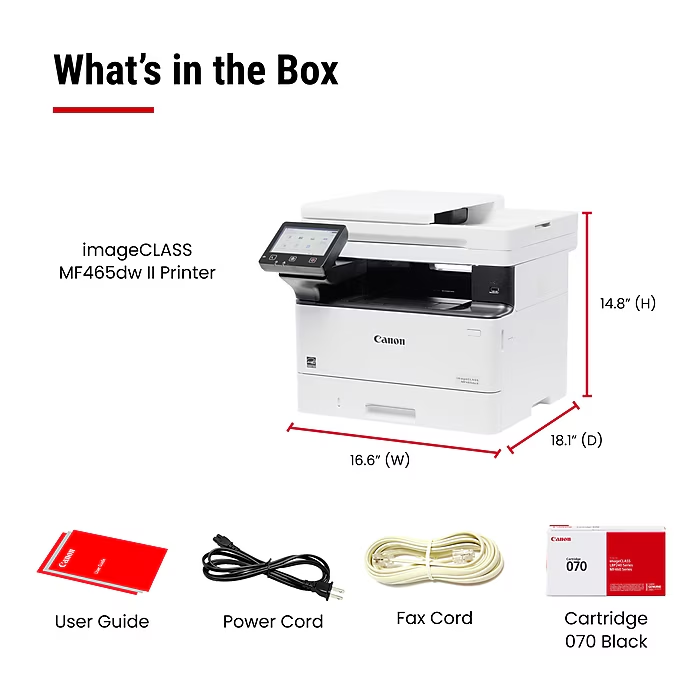
What’s in the Printer Box imageCLASS MF465dw Product, Cartridge 070 Black Standard, approx. 3,000 Page Yield, Power Cord, Telephone Cable, User Software DVD-ROM, Documentation
Printer Type

Laser
Series or Collection

imageCLASS MF465dw II
Printer Use

Office Business
Printer Capability

Print, Scan, Copy, Fax
Touch Screen Display Yes
Printer Function

All-In-One
connectivity
Mobile Printing Apps Canon PRINT app, Apple AirPrint, Mopria Print Service
Wireless Ready

Wireless
Printer Connectivity

USB, Wireless, Network Ready
Mobile Device Printing

Mobile Device Printing Eligible
Network Ready

Yes
copy, scan, fax features
Black & White Copy Resolution (Up to)

1200
Scanner Resolution

600 dpi
Color Copy Resolution (Up to)

1200
dimensions
Width in Inches

16.6
Height in Inches

14.8
Depth in Inches

18.1
Weight (lbs.)

34.4
output
Output Type

Black & White
Maximum Printer Monthly Duty Cycle

750-4,000
paper
Standard Number of Paper Trays 1
Black & White First Page Out (seconds)

4.9
Supported Paper Sizes 4.1 x 5.8 – 8.5 x 14
Reversing Automatic Document Feeder (RADF)

No
Printer Max Paper Size 8.5″ x 14″ Legal
Automatic Document Feeder (ADF)

Yes
power
Power Source Information

Power Cord
print features
Black & White Print Speed

41 PPM & Up
Photo Capable

Not Photo
Wide Format Compatibility

No
Borderless Printing

No Borderless Printing
Recommended Monthly Print Volume

750 – 4,000
Max Print Resolution (dpi)

1200 DPI
Double Sided Printing

Automatic
warranty
Printer Warranty 3 Year Limited
additional details
Ink Subscription Service No
Number of Users

1-5 Users
Printer System Requirements

Windows® 11 / 10 / 8.1 / Windows®Server2012 / 2012 R2 / 2016 / 2019 / 2022, Mac OS X (10.11 or later)
Printer Memory

1 GB
True Color

White
Printer Language UFR II, PCL6, PCL5, Adobe® PostScript 3®
Printer Portability

Standard
  • Standard and Express delivery services are available for all items.
  • Shipping costs are calculated at the checkout page (after delivery option & destination confirmation).
  • Tracking is available for all delivery options.
  • Items are delivered during standard business hours.

Reviews

There are no reviews yet.

Be the first to review “Canon imageCLASS MF465dw II Wireless Black & White All-In-One Laser Printer, Best for Office (7188C006)”

Your email address will not be published. Required fields are marked *