Introduction
If you’ve ever compared ink or toner cartridges while shopping, you’ve probably seen terms like “150 pages,” “500 pages,” “1,500 pages,” or “high-yield (XL)” printed on the packaging. These numbers refer to something called print yield, which is an estimated number of pages a cartridge can produce.
However, many users quickly notice that the actual number of pages they print rarely matches the number printed on the box. Some cartridges last much longer than expected, while others run out faster—even when printing “normally.”
So what does print yield really mean?
Why do page counts vary so much?
And how can you stretch your ink or toner for better value?
This in-depth, 2,000-word guide explains everything you need to know about print yields in 2026, written in simple and accurate language to help everyday users make smarter printing decisions.
- What Is Print Yield?
Print yield—also called page yield—is the estimated number of pages a printer cartridge can produce before the ink or toner runs out. It is a standardized measurement used to give consumers a consistent way to compare cartridge capacities across brands and models.
In simple terms:
Print yield = The number of pages you can expect to print under specific testing conditions.
Manufacturers rely on controlled testing environments to determine this number. However, everyday usage may differ significantly.
- Why Print Yield Is Important
Understanding print yields helps you:
- Compare ink or toner cartridges accurately
- Estimate long-term printing costs
- Decide between standard-yield and high-yield cartridges
- Improve budgeting for home, school, or office printing
- Determine the cost per page of different printers
Whether you are a home user printing school assignments or a business printing hundreds of pages weekly, print yield impacts your overall printing experience and ongoing costs.
- How Manufacturers Calculate Print Yield
Manufacturers follow strict international testing standards, most commonly:
ISO/IEC 24711 (Inkjet Cartridges)
ISO/IEC 19752 (Monochrome Laser Toner)
ISO/IEC 19798 (Color Laser Toner)
These standardized methods ensure consistency across different brands.
3.1 What Happens During ISO Testing?
Inkjet Testing (ISO/IEC 24711)
Testers:
- Use five standard test pages (mixed text and graphics)
- Print continuously until the cartridge is empty
- Maintain a regulated temperature and humidity
- Use the printer’s default settings
Monochrome Laser Testing (ISO/IEC 19752)
A single standardized page of text is used consistently.
Color Laser Testing (ISO/IEC 19798)
Standard color pages containing text, images, and graphics are printed.
3.2 Why Standardization Matters
Without ISO standards, one brand’s 1,000-page yield might equal another brand’s 500-page yield—making comparisons impossible. Standardization ensures buyers have consistent reference points.
However, these standards do not reflect real-world variations such as:
- Photo printing
- Colored backgrounds
- Power cycles
- Draft mode usage
- Long idle periods
This is why the ISO yield is an estimate—not a guarantee.
- Why Actual Print Yields Differ from the Packaging
Many users wonder why their cartridges don’t always match the advertised print yield. Here are the top reasons.
4.1 Print Coverage Percentage
The most significant factor is page coverage.
ISO standards assume:
5% coverage per page
This means only 5% of the page contains ink or toner (like a short email or basic letter).
In real life:
- A typical school assignment may have 10–15% coverage
- Business documents can have 20–30% coverage
- Photos often exceed 80–100% coverage
The more ink or toner used on each page, the fewer pages the cartridge can print.
4.2 Document Type
Different printing tasks consume different amounts of ink:
- Text documents: Low usage
- Charts & graphs: Moderate usage
- Photos: Very high usage
- Full-page color designs: Extremely high usage
This is why printing 200 full-color pages will drain a cartridge faster than printing 1,000 black text pages.
4.3 Printer Settings
Settings also affect ink consumption:
- Draft mode = Lower ink usage
- Best quality mode = Higher ink usage
- Duplex printing may use slightly more ink for alignment
Users who prefer high-quality photo prints will experience lower-than-advertised yields.
4.4 Environmental Conditions
Temperature and humidity influence ink behavior and toner efficiency:
- Dry climates may cause ink to evaporate faster
- Humidity may affect toner adhesion
- Poorly ventilated rooms may affect print head performance
These factors can vary yield significantly.
4.5 Printing Frequency
Surprisingly, printing too little can reduce cartridge lifespan due to:
- Print head cleaning cycles
- Ink drying in nozzles
- Wasted ink during maintenance tasks
Laser printers are less affected, but frequent on/off cycles can still waste toner.
4.6 Color vs. Black Printing
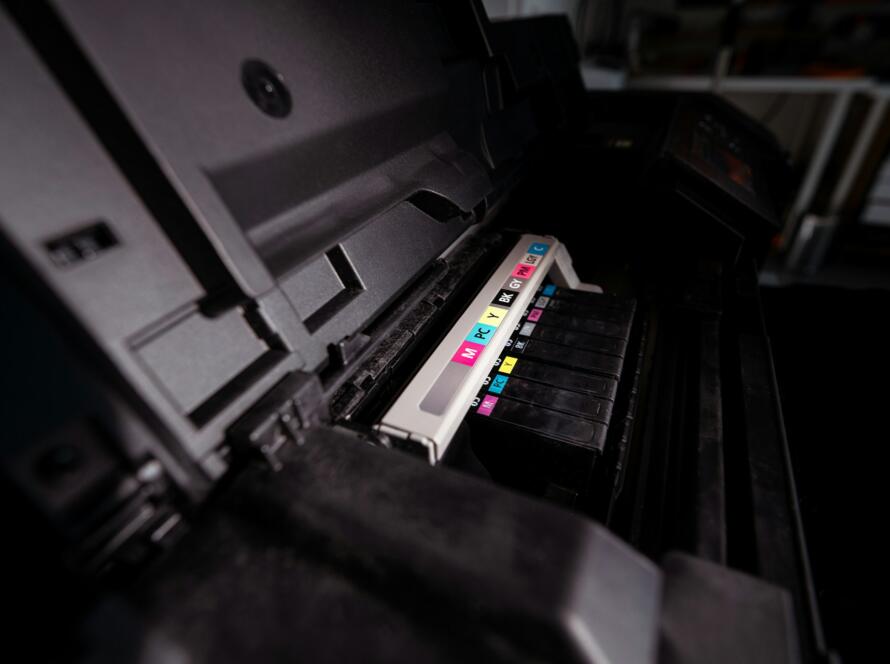
Color printing uses multiple color tanks (CMYK). Even if you print “black only,” your printer may use color ink for:
- Calibration
- Print head cleaning
- Color accuracy
This can reduce overall yield.
- Standard Yield vs. High-Yield vs. Extra-High-Yield Cartridges
Cartridges come in different capacities, offering more flexibility based on your printing habits.
5.1 Standard Yield Cartridges
- Economical upfront
- Lower page output
- Ideal for low-volume home users
5.2 High-Yield (XL or HY) Cartridges
- Higher page count
- Lower cost per page
- Fewer replacements needed
- Good for students, home offices, moderate use
5.3 Extra-High-Yield Cartridges (XXL)
- Maximum page output
- Best cost-per-page ratio
- Ideal for heavy printing environments
Businesses and busy home offices can save significantly with high-yield or extra-high-yield cartridges.
- How to Maximize Your Print Yield (Practical Tips)
Here are proven ways to extend your cartridge lifespan and reduce printing costs.
6.1 Use Draft Mode for Everyday Printing
Draft mode uses far less ink or toner and is suitable for:
- Internal documents
- Notes
- School drafts
- Checklists
Switch to higher quality only when necessary.
6.2 Avoid Frequent Power Cycling
Turning your printer off and on triggers print head cleaning cycles, which use extra ink. Keep your printer in sleep mode instead of powering it off fully.
6.3 Print Regularly
For inkjet users:
- Print a small page once a week to prevent nozzle drying
- Regular printing reduces maintenance cycles
Laser users don’t need frequent printing but benefit from occasional activity to maintain smooth toner flow.
6.4 Use Manufacturer-Recommended Paper
Using recommended or compatible paper ensures:
- Better ink absorption
- Fewer smudges
- More efficient coverage
Photo paper requires more ink, so use it when necessary, not for casual printing.
6.5 Maintain Your Printer Properly
Proper maintenance includes:
- Running automated print head cleaning when needed
- Keeping the printer dust-free
- Avoiding high-moisture environments
- Handling cartridges carefully
Clean, well-maintained printers use ink more efficiently.
6.6 Choose High-Yield Cartridges for Frequent Printing
If you print more than 100 pages monthly, high-yield cartridges often reduce long-term costs significantly.
- Black vs. Color Print Yield Differences
Page yields differ between black and color cartridges.
7.1 Black Cartridges
- Generally higher yields
- Used mainly for text documents
- Lower usage per page
7.2 Color Cartridges
Color cartridges include:
- Cyan
- Magenta
- Yellow
Color printing uses all three, often unevenly. Heavy use of one color (e.g., blue-heavy documents) may empty one tank before the others.
- Inkjet vs Laser Print Yields
Understanding how yields differ helps you choose the right printer.
8.1 Inkjet Print Yield Characteristics
Inkjet yields are more variable due to:
- Ink-based printing
- Nozzle cleaning cycles
- Photo printing demands
Inkjet cartridges often range from 150–600 pages depending on capacity.
8.2 Laser Print Yield Characteristics
Laser printers produce consistent yields:
- Toner does not dry
- Less maintenance waste
- Higher yield per cartridge
Laser cartridges typically yield 1,000–10,000 pages.
- How to Calculate Your True Cost Per Page
Cost per page (CPP) helps compare printers and cartridges accurately.
Formula:
Cost Per Page = Cartridge Price ÷ Page Yield
Example:
- Cartridge Price: $40
- Yield: 400 pages
Cost per page = $0.10 per page
This metric helps determine if a printer is economical.
- Common Myths About Print Yield
Myth 1: “A 1,000-page cartridge will always print 1,000 pages.”
False — yield varies based on usage and coverage.
Myth 2: “Laser printers are always cheaper.”
Not always, but often cheaper for heavy users.
Myth 3: “Photo printing uses the same ink as text printing.”
Photo prints use significantly more ink.
Myth 4: “Color ink is used only for color prints.”
Many printers use color for calibration and maintenance.
- Tips for Businesses to Manage Print Yield Efficiently
Businesses can optimize print yield through:
- Standardizing printer models
- Using high-yield cartridges
- Setting default print settings to draft
- Monitoring monthly print volumes
- Implementing print policies
This helps reduce operational printing costs.
Conclusion
Print yield is an essential factor to consider when choosing a printer or replacing cartridges. While ISO yield standards offer a consistent reference point, real-world results vary based on document type, print quality settings, environmental conditions, and printing habits.
By understanding how page yields work and applying the best practices in this guide, you can significantly extend the life of your ink or toner, reduce costs, and improve printing efficiency—whether you’re printing at home, school, or in an office.